

LCP (Largest Contentful Paint) Hidden Concepts. By Aman
Full Stack Developer specializing in sleek, performant frontends and scalable backend systems I build production ready web applications with a focus on scalability, performance, and clean architecture. My expertise spans modern frontend development with React.js , Next.js and TypeScript, combined with robust backend systems.
On the backend, I specialize in Golang microservices using Fiber framework, implementing event-driven architectures with Kafka, caching strategies with Redis, and building efficient APIs with gRPC. I focus on creating scalable, maintainable systems that handle real-world complexity.
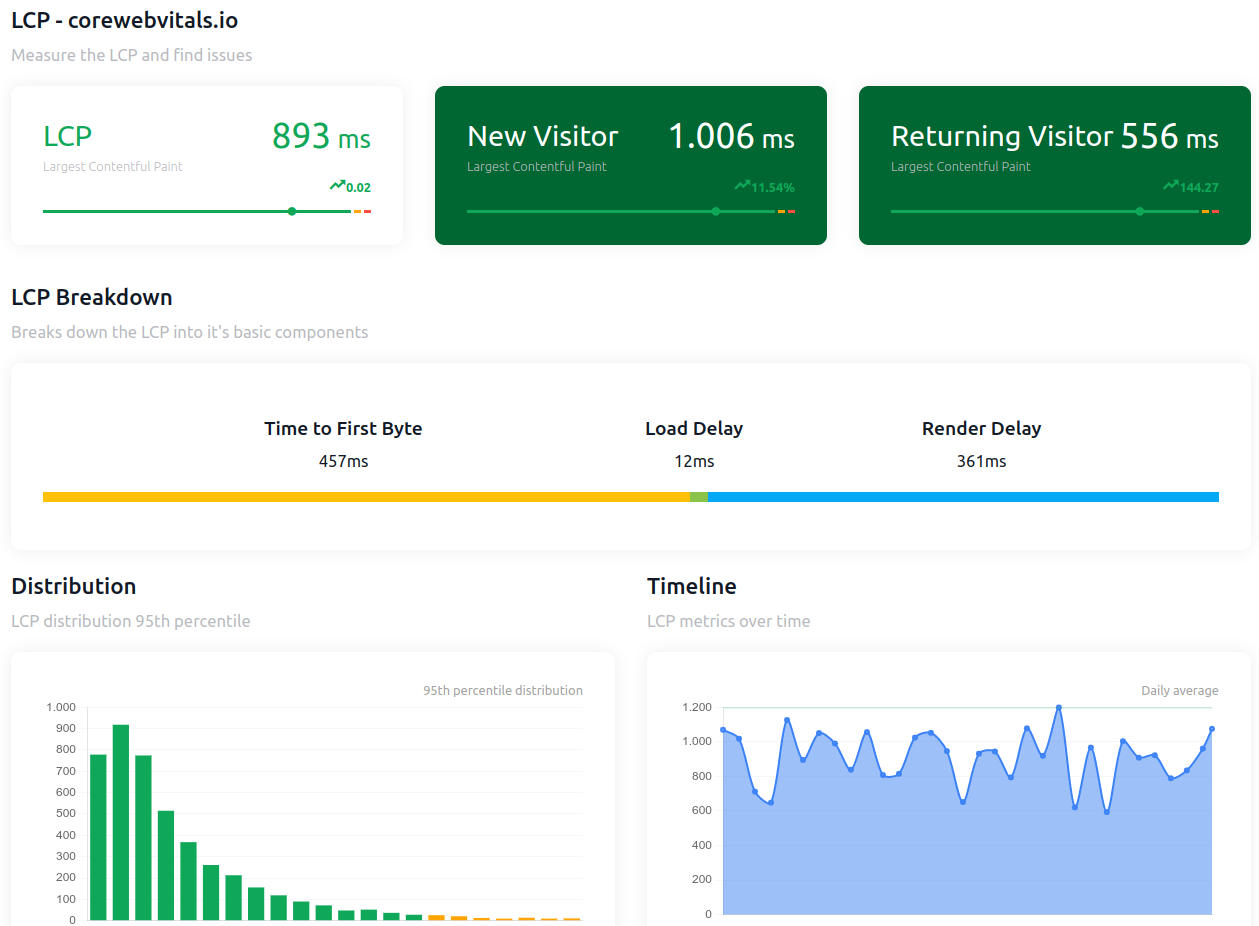
Above you see two visuals that illustrate how the browser loads content over time during a page load and where each of these timing terms fits in.
What Is LCP (Largest Contentful Paint)?
When someone opens your React app in the browser, lots of things have to happen before they see a big meaningful piece of content — like a hero image, a big headline, or a big React component.
LCP is the moment when that largest visible piece of content finally shows up on the screen. It’s the point where a user feels the page is “ready.” LCP is a critical measure because it strongly influences how fast your app feels.
Now let’s go through each term — in the order they happen — using the idea of a page load timeline.
Time to First Byte (TTFB) — “When does the server first reply?”
This is the very first moment in loading a page.
Imagine someone clicks a link to your React app.
The browser opens a connection to your server (DNS lookup, TCP handshake, TLS negotiation, etc.).
Then it waits for your server to start sending data.
TTFB is simply:
How long it takes for the browser to get the first byte of the HTML document from your server after the user initiates the navigation.
If your server is slow to respond — maybe it’s rendering server-side React, or doing data fetching — the entire load time is held up.
Normal language analogy:
Think of calling a restaurant and waiting for the person to pick up. The time until you hear “Hello?” is like TTFB.
Resource Load Delay — “When does the browser notice the thing it needs to load?”
After the browser gets the first bit of HTML (thanks to TTFB), it starts parsing that HTML.
As it parses, the browser figures out what it needs to load next — like images, CSS, or JavaScript files.
Resource Load Delay is:
How long the browser waits after TTFB before it starts fetching the resource that will end up being the LCP element.
If your biggest image or text isn’t in the first bits of HTML, or if React renders it late (like client-side only), this delay can grow.
Normal language analogy:
After the receptionist picks up, Resource Load Delay is like how long you wait before the restaurant starts making your order — maybe you’re waiting for the menu or a confirmation first.
Resource Load Time — “How long does the browser fetch that image or file?”
Once the browser finally starts downloading the actual LCP resource (maybe a big hero image or a JSON bundle), this term is:
The actual download time of the resource — how long it takes for all bytes to arrive.
In a React app, this could be:
A hero image file (
img.jpg)A static SVG
A CSS file used for layout
A large JSON returned by server
This is the time the browser is actively receiving data from the server for that resource.
Normal language analogy:
Period between when the kitchen starts cooking your order and when it’s ready on the plate.
Element Render Delay — “Once the resource is ready, when does it actually show up?”
Even after the file is fully downloaded, it sometimes doesn’t appear on screen immediately.
Why?
Because the browser might still be:
Running JavaScript (React hydration or bundles),
Waiting for CSS to load,
Busy with other work like layout or painting.
Element Render Delay is:
The time after the resource bytes are downloaded until the LCP element actually appears on screen.
This happens a lot in React apps because React might download code first and then hydrate the server-rendered HTML or render client-side content.
Normal language analogy:
It’s like when your food is on the pass but the waiter hasn’t brought it to your table yet — it’s done, but it’s not visible to you.
Bringing It All Together (In One Flow)
So if we string them in order:
User clicks URL
Browser requests page → TTFB begins
Server replies → Resource Load Delay starts
Browser discovers the LCP resource and starts fetching it → Resource Load Time
File arrives but needs rendering → Element Render Delay
Finally user sees the biggest part of the page → LCP happens
If any of these steps take too long, your LCP score (and thus perceived speed) worsens.
How This Applies in React 18/19
In modern React apps:
You might be doing server-side rendering (SSR) or hydration. SSR helps reduce TTFB and initial delays because HTML is sent ready to render.
Client-side rendering can push the LCP later if React takes time to show the content.
Code splitting, lazy loaded components, or images can push Resource Load Delay if they aren’t prioritized.
Web performance tools like Lighthouse or the web-vitals library can break down your LCP timing into these four phases so you can see which one is the bottleneck.
Recap (Super Simple)
TTFB: Server takes a bit to respond.
Resource Load Delay: Browser detects what to fetch next.
Resource Load Time: Browser fetches the resource.
Element Render Delay: Browser paints that resource on screen.
